Your training
Your training,
always with you
Every week you open the app on your phone and find your work: what to do, how long it lasts, how hard it is.
And… if you have a sports watch, the session is already loaded onto it, automatically.
So you are free to keep the classic style — memory, or a slip of paper — but also, given how far the technology has come, to have your sessions right inside your device.
On your watch
The interval starts and you already know what to do
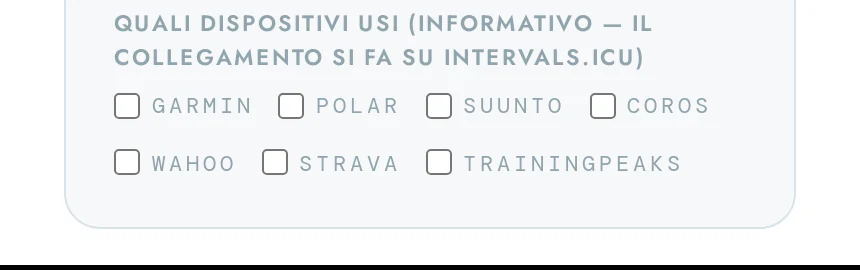
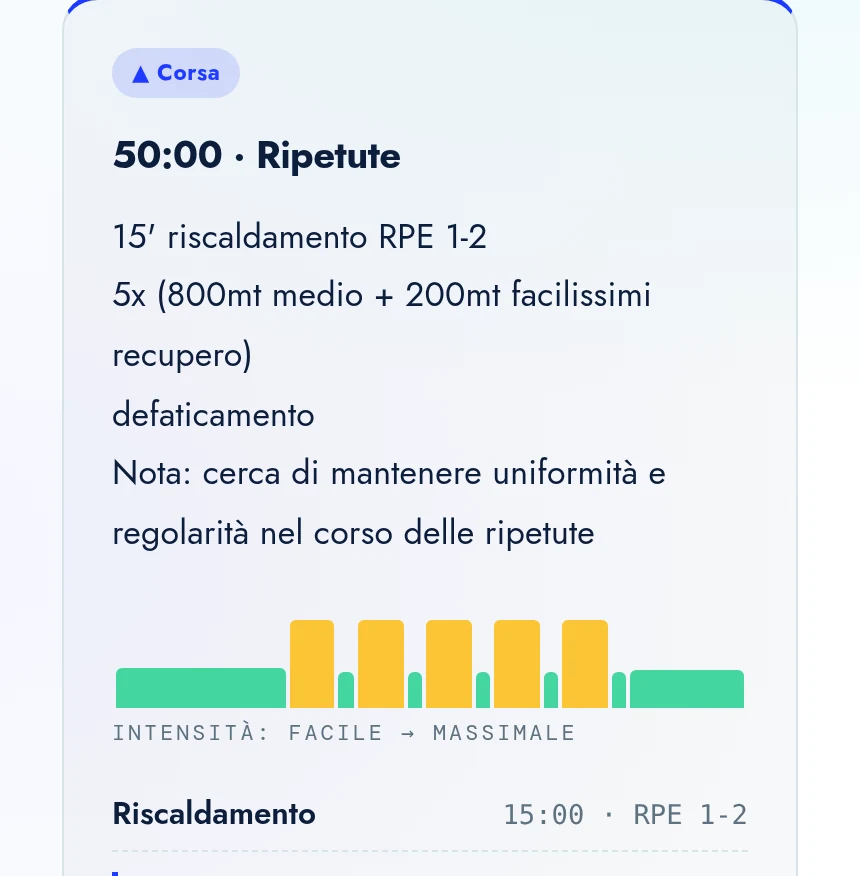
You connect your watch once, through intervals.icu. From then on sessions arrive by themselves on your Garmin, Suunto, Polar, COROS or Wahoo, already split into segments: how long it lasts, what pace to hold, and the note I wrote for that segment — “fins, easy”, “recovery standing”, “high cadence”.
Where it goes
One session, wherever you do it
I write the session once, in the app. The bridge is intervals.icu: it delivers it to whatever you train with that day, already structured. Outdoors, in the pool, on the trainer: the same work, in the same format, nothing to copy by hand.
- 01
I prepare
your week in the app, session by session.
- 02
intervals.icu delivers
each session to the right device, on the right day.
- 03
You press start
and go. Then you tell me how it went, under the session.
Watches
run, swim, bike
- Garmin
- Suunto
- Polar
- COROS
- Amazfit
- Huawei Watch
The interval starts, the watch buzzes, shows the pace to hold and the note I wrote.
Bike computers
riding outside
- Garmin Edge
- Wahoo ELEMNT
- Hammerhead Karoo
- SIGMA
Segment by segment on the handlebar screen, in watts or heart rate.
Trainer and indoor
bike and run indoors
- Zwift
- Rouvy
- MyWhoosh
The session shows up as the workout of the day: the trainer sets the resistance by itself, watts are a percentage of your FTP.
Afterwards
what you actually did
- Strava
- TrainingPeaks
- Concept2
- Oura · WHOOP
The completed session comes back and I see it: so I adjust next week on what really happened, not on what was written.
You connect once, in five minutes, with the instructions I send you. If you use something not on this list, write to me: we’ll check together.
Your profile
Your thresholds, your zones, your races
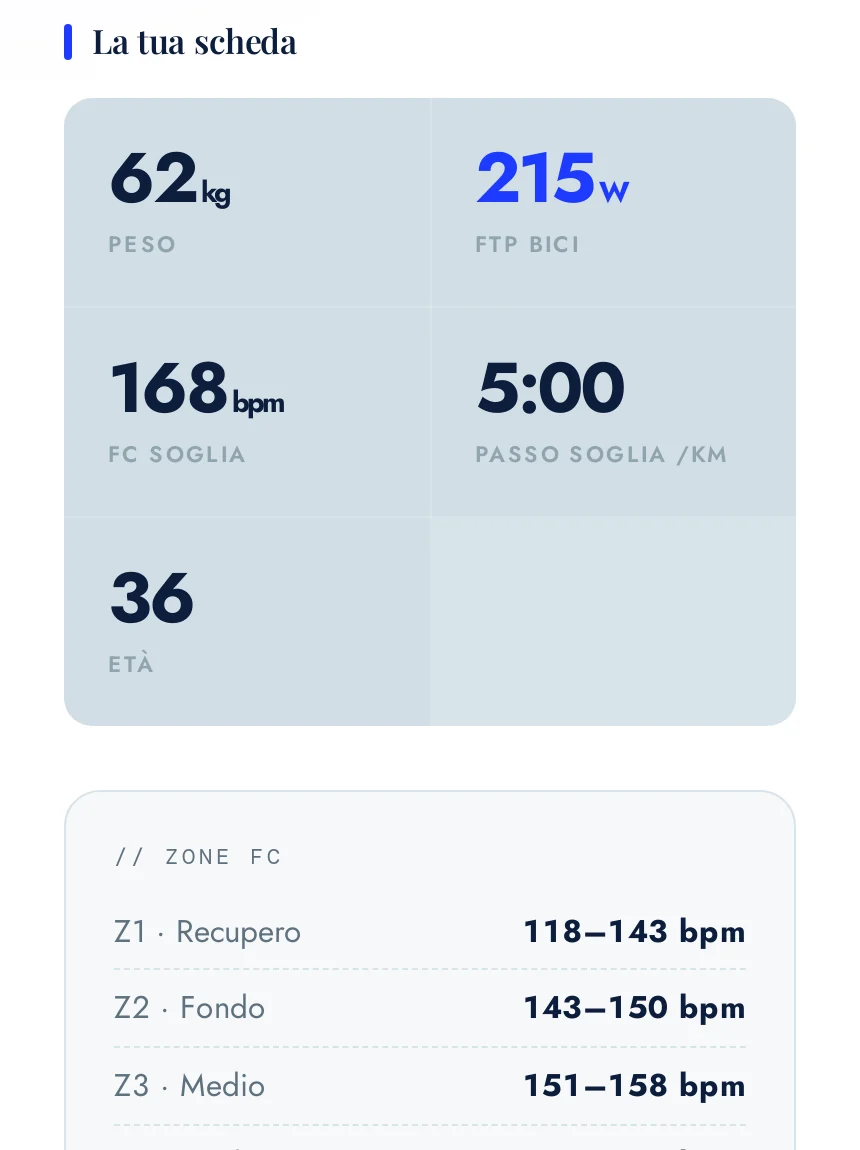
Weight, cycling FTP, threshold heart rate, running and swimming pace. When they change after a test I update them once, and from then on every session is recalculated on your new numbers.
The same screen holds your races with a countdown and your test history, so when you repeat one you can see where you started from.
Why
Everything else is: the coach who builds your sessions for you, guaranteeing a trusted connection and communication
None of this puts a machine between us — quite the opposite: it lets us share far more information, instantly, and it helps us communicate.
Technology helps because it cuts the waste of time.
But it always remains an accessory, to be understood as an aid and never as a substitute for what our mind, our memory, our emotional responses and our sensations and perceptions can be.
Remember: technology is an artificial being. You are human beings, with consciousness, emotions, creativity and the ability to make your own decisions.
Questions
What people ask me
Does it work with my watch?
With Garmin, Suunto, Polar, COROS, Wahoo, Amazfit and Huawei, yes. You connect it once and it takes five minutes: I send you step-by-step instructions. If your watch isn’t on the list, write to me and we’ll check together.
Can I do the session on the trainer, on Zwift or Rouvy?
Yes. The bike session lands on Zwift, Rouvy or MyWhoosh as the workout of the day, with the segments already set: the trainer controls the resistance and you pedal. The only requirement is that the FTP on the platform matches your profile, and I take care of that.
Do I pay anything on top of the coaching?
No. The app is included, and the intervals.icu account needed for the connection is free in the version we use.
What if I don’t have a sports watch?
It still works: you open the app on your phone and find the week in full, interval by interval. The watch is a convenience, not a condition for training with me.
Who can see my data?
You and me. Every athlete signs in with their own password and sees only their own plan. What you actually do comes back from your watch, and I look at it to adjust the weeks that follow.
Where we start
With a conversation: where you are now, where you’d like to get to, how much time you really have. Then we build the plan. The app comes from me, with your password.
Book a free consultation